ClassVR Xplore Remote Setup, Onboarding, and Coaching
Highlights:
Entails 3 Touch-Points done throughout first 6 months of purchase
- 30-min set up call with IT/Admin
- 60-min training 1 call with 15 teachers
- 60-min training 2 call (or repeat) 4-6 months later
Ensure that you are empowered to make the best of ClassVR in your classroom!
ClassVR headsets can be configured to work with your school’s technical infrastructure. Their technicians setup and configure everything for you, meaning all you will need to do is open the box and turn them on.
Configuring Your Headsets:
Setting up devices can be time consuming, so our technicians get everything ready for you. When you receive your headsets, just turn them on and you are ready to start teaching! ClassVR's technicians will:
- Configure each headset with your school’s wi-fi details
- Enroll each headset into your new ClassVR Portal
- Download and setup a default VR lesson on each headset to get you started
- Rename each device to your own requirements
Setting up Your Teacher Portal:
ClassVR's technicians will configure and setup the ClassVR Portal so everything is ready for you to use. All you need to do is create an individual password and you are ready to go! Their technicians will:
- Configure the ClassVR Portal for your school
- Add teachers as individual users
- Setup groups and classrooms
- Provide important network, firewall and port configuration requirements
Remote Teacher Training:
ClassVR's educational specialists have extensive experience in training teachers to use technology successfully in the classroom, and are able to adapt their sessions to meet the needs of your staff.
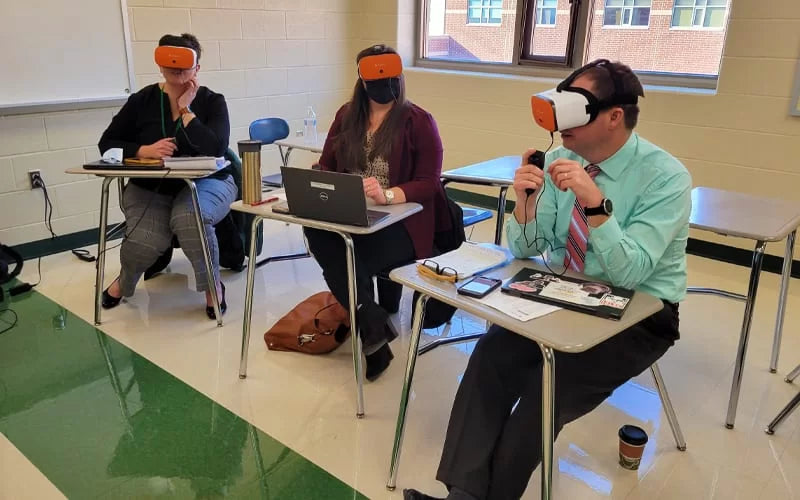
The 1-hour online sessions are delivered by one of ClassVR's educational specialists who will provide your school with advanced knowledge and information needed to deliver engaging lessons in VR. These sessions include how the manage headsets in class, how the send content and how to upload custom VR content.
A Typical Training Session:
Here is what a typical training session will look like:
- ClassVR trainers ensure that you and your team have completed the ClassVR CPD online training to familiarize yourself with the ClassVR system before a online or onsite session.
- Before an online or onsite session takes place, their trainers ensure that your headsets are set up correctly and running smoothly.
- ClassVR gives your teachers all the information they need about the headsets, starting right from the basics.
- Your teachers are introduced to the intuitive ClassVR Portal, including how to manage headsets in class, how to send 3D models, explorable scenes, 360 degree images and videos to the headsets instantly, and how to upload custom VR content.
- ClassVR trainers teach you and your staff how to utilize ClassVR and deliver your first successful VR lesson!